SEND Backoffice for Third Parties
A B2B dashboard for banks and other companies to implement legal notifications in their services. I used AI to translate complex API documentation and JSON payloads into an intuitive UI, empowering non-technical users to configure the service.
Role
Product design, UX, UI,
Microcopy, Dev handoff
Company
PagoPA
Year
2026
Duration
1 month
Problem
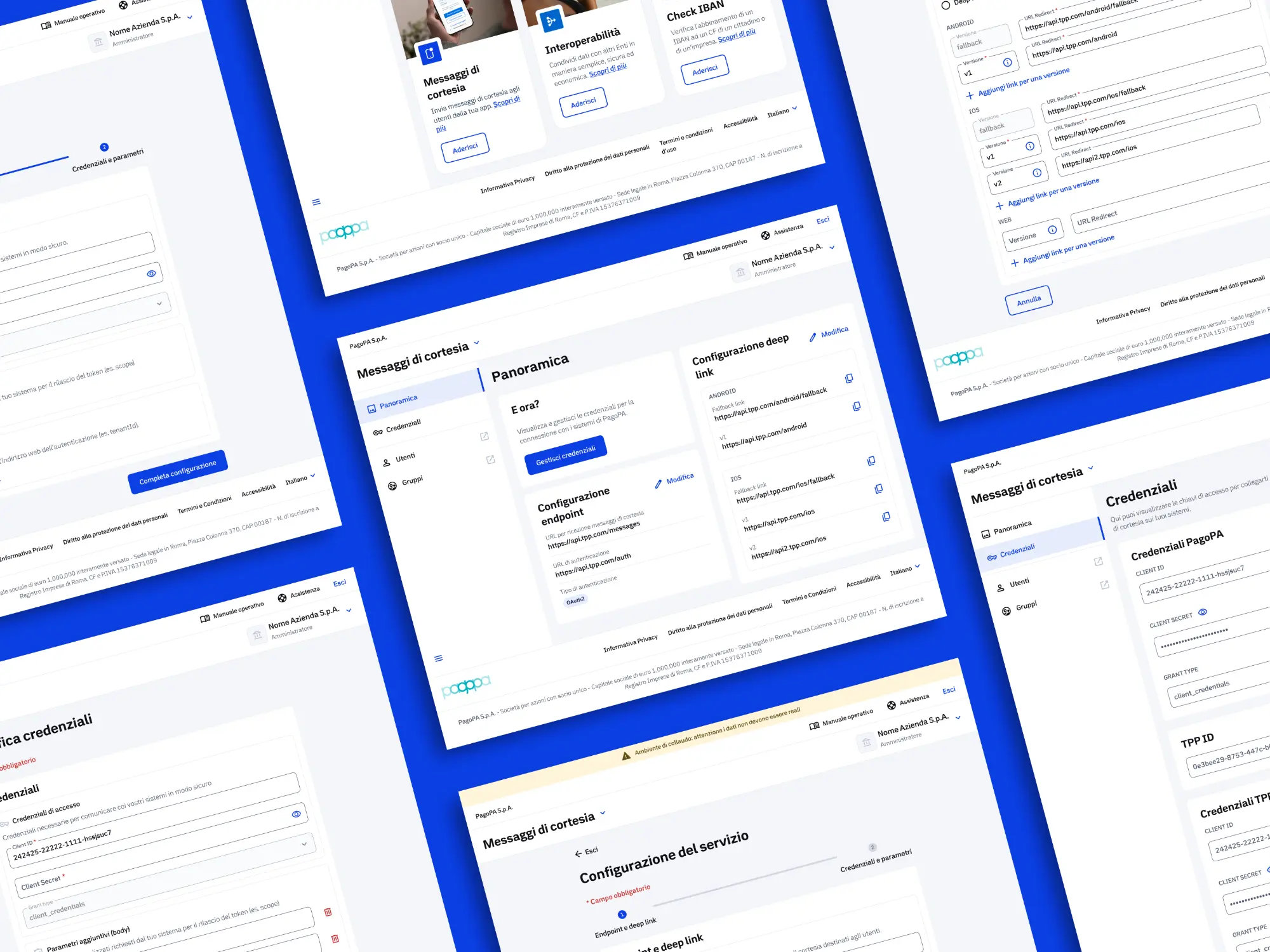
SEND Multichannel is a service offered by PagoPA to banks and other institutions to integrate courtesy messages for new SEND legal notifications directly into their apps. With this service, the banks' clients can view and pay any associated fees directly within their banking app.
Originally tied to the main SEND backoffice platform, a strategic decision was made to spin off this service into a standalone B2B product. This shift required designing a dedicated backoffice to guide users through configuring and managing the service.
Execution
At the kickoff the engineering team struggled to define the exact requirements of the MVP. Furthermore, the core of the experience relied on a complex technical blueprint that required configuring highly technical parameters (such as OAuth2, App Deep Linking versioning, body and URL custom parameters, etc).
Visualizing the baseline
To break the deadlock, I took a proactive approach: I sketched an initial "high fidelity wireframe" flow using the components of the MUI Italia Next design system, to give the developers a visual "common ground" that helped them finalize the technical requirements.
Bridging the gap with AI
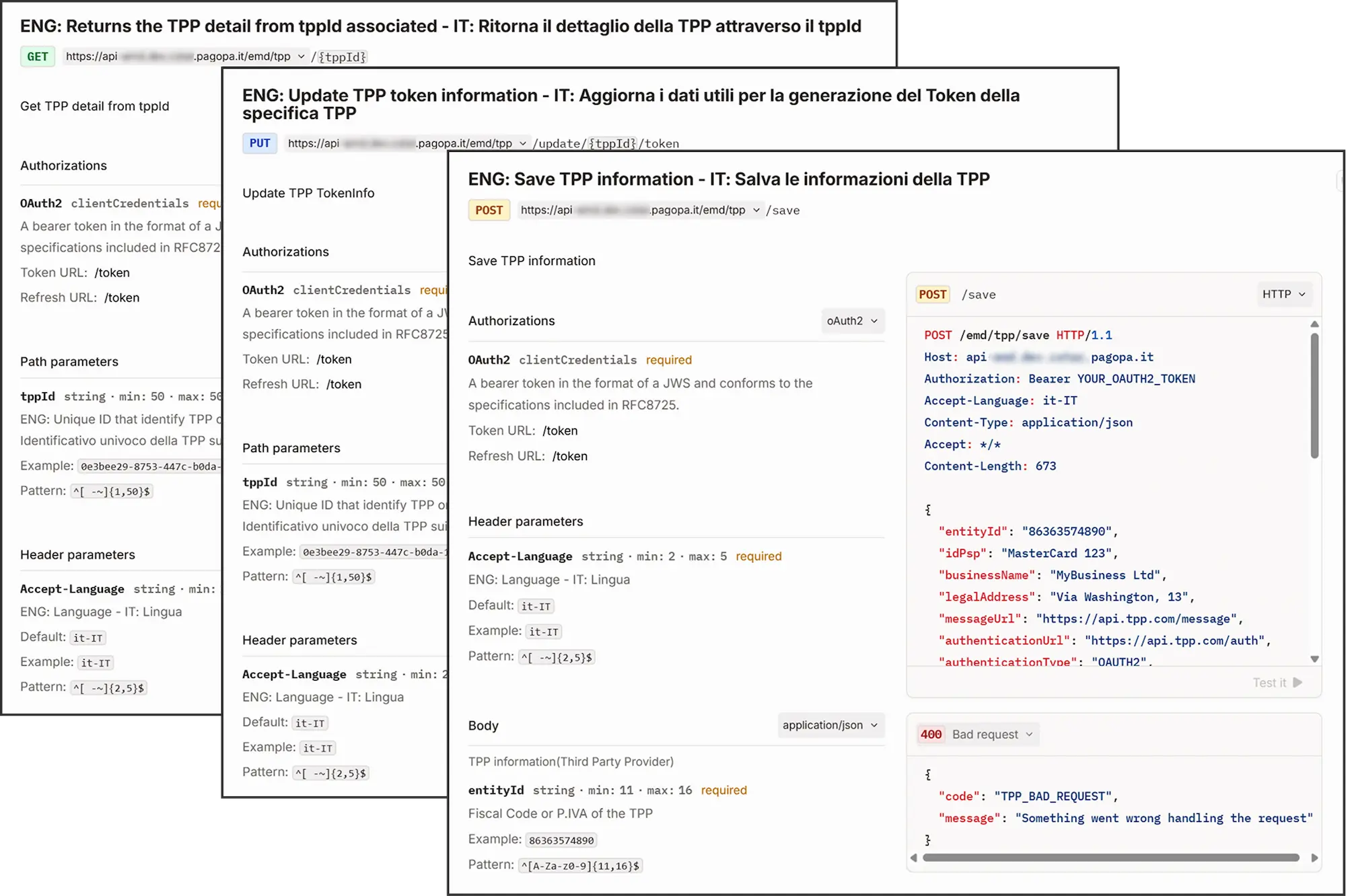
Once we agreed with the base flow, the developers shared the technical API documentation via Gitbook. I exported it and used an LLM (Gemini) to digest the complex JSON payloads.
Aligning User Experience with API Architecture
By analyzing the backend logic, I noticed the APIs were split into general TPP updates and specific security/token updates. Instead of structuring the self-onboarding into a monolithic form, I divided it into three distinct logical steps:
- Registration & Contacts
- Technical Configuration (Endpoints)
- Security & Credentials
This 1:1 mapping between the UI and the backend architecture allowed the engineering team to perfectly recycle the frontend components for the "edit" pages later on, significantly reducing development time and potential bugs.
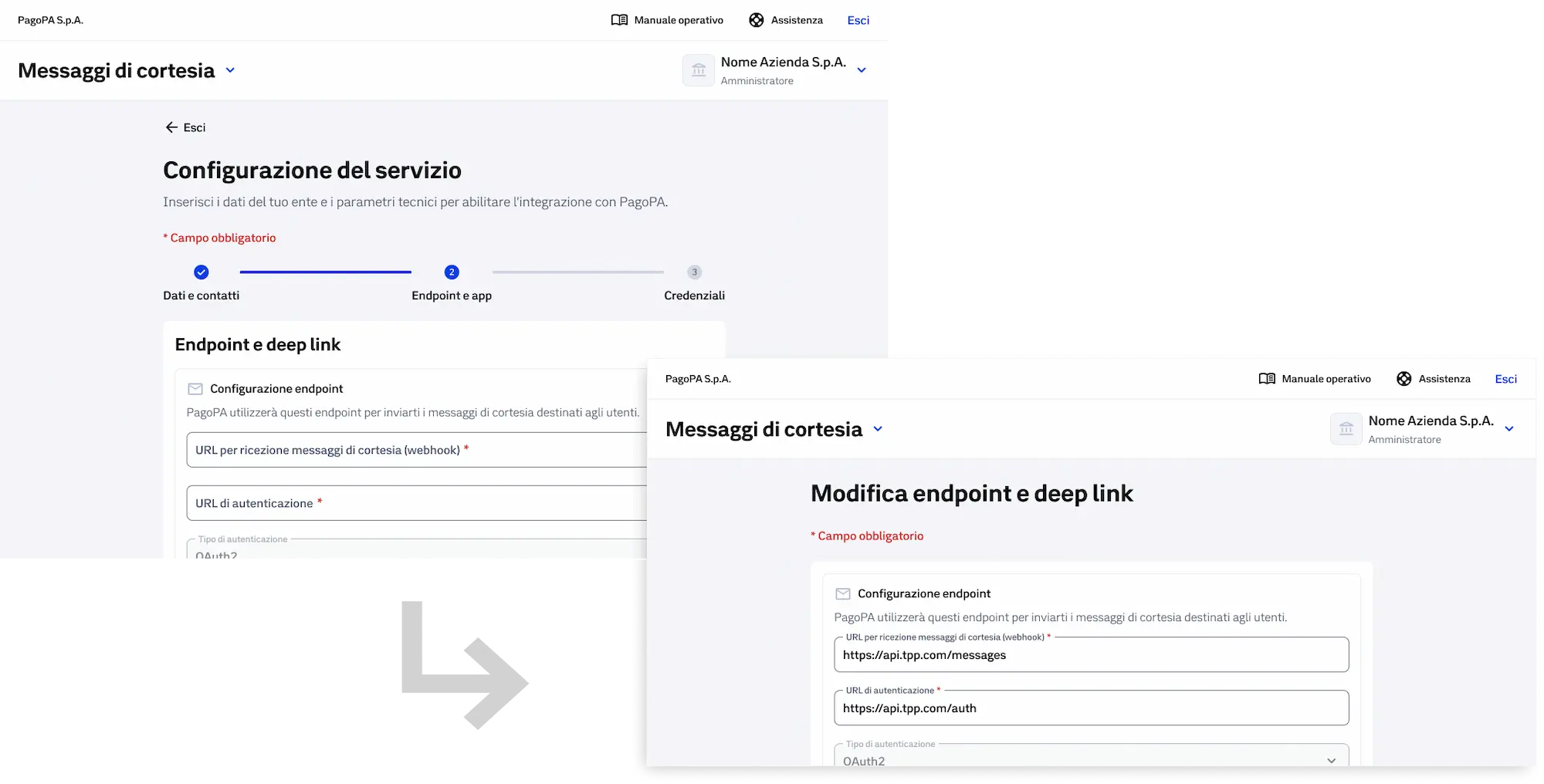
The onboarding configuration form is the same as the parameter modification form.
Progressive Disclosure & Error Prevention
The backend APIs required complex nested JSON payloads for App Deep Linking and fully customizable OAuth2 parameters. Rather than exposing all raw inputs and overwhelming the user, I designed the interface around progressive disclosure and built-in guardrails.
I introduced a simple radio-button logic for Universal Link Device Specific Links configuration. Complex versioning inputs were hidden behind buttons and checkboxes, keeping the UI clean and straightforward for the majority of banks that only need a single universal link.
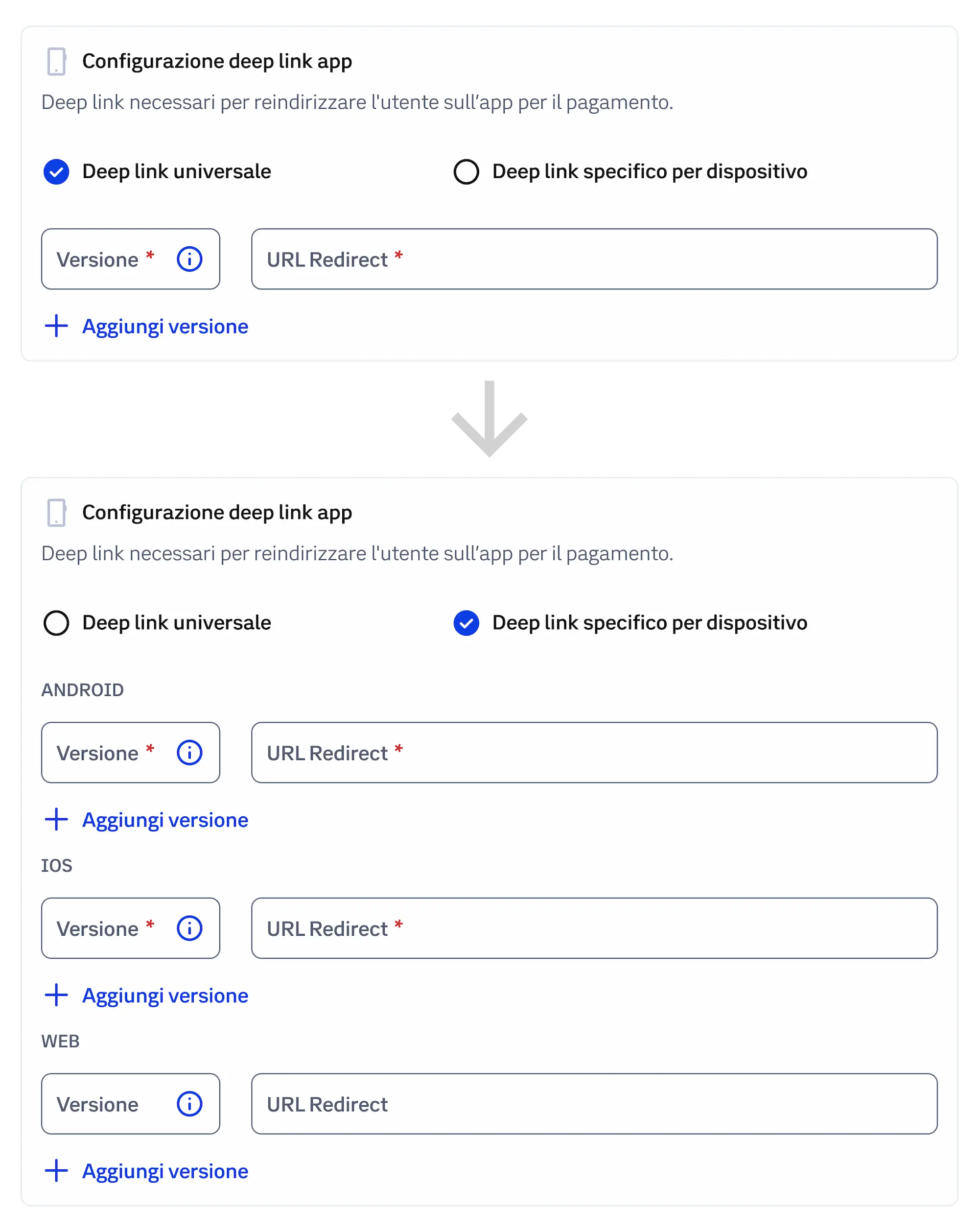
The device-specific deep link text fields appear only when the option is selected to not overwhelm the operator
When a developer does opt to configure specific app versions, the UI automatically generates a mandatory "Fallback Link" field. This proactive constraint seamlessly force the operator to follow technical best practices and ensuring the citizen's payment journey never hits a dead end due to broken routing.
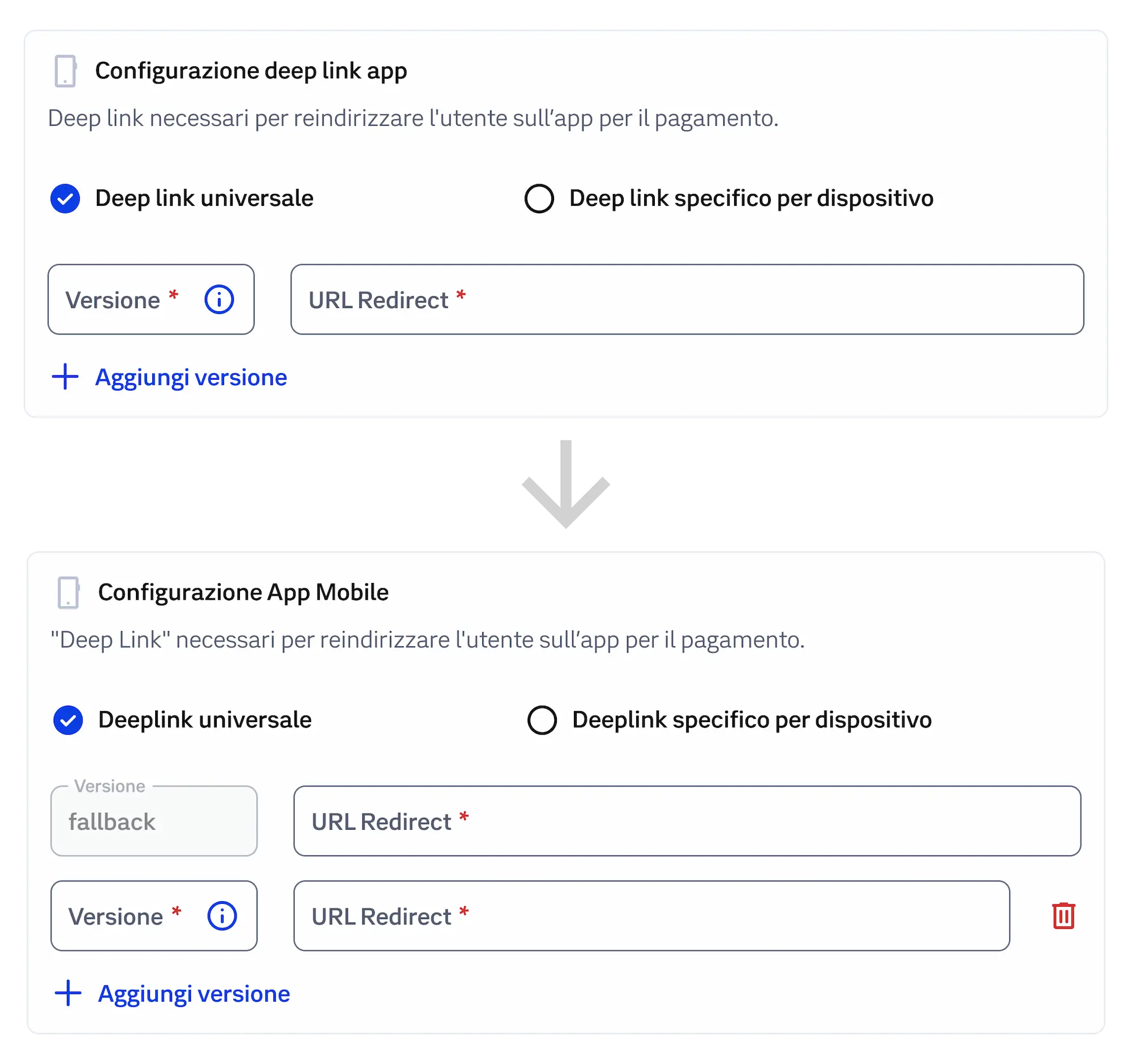
When a specific version link is added a "fallback" link is automatically generated, forcing to follow best practices.
Visualizing the Value Proposition
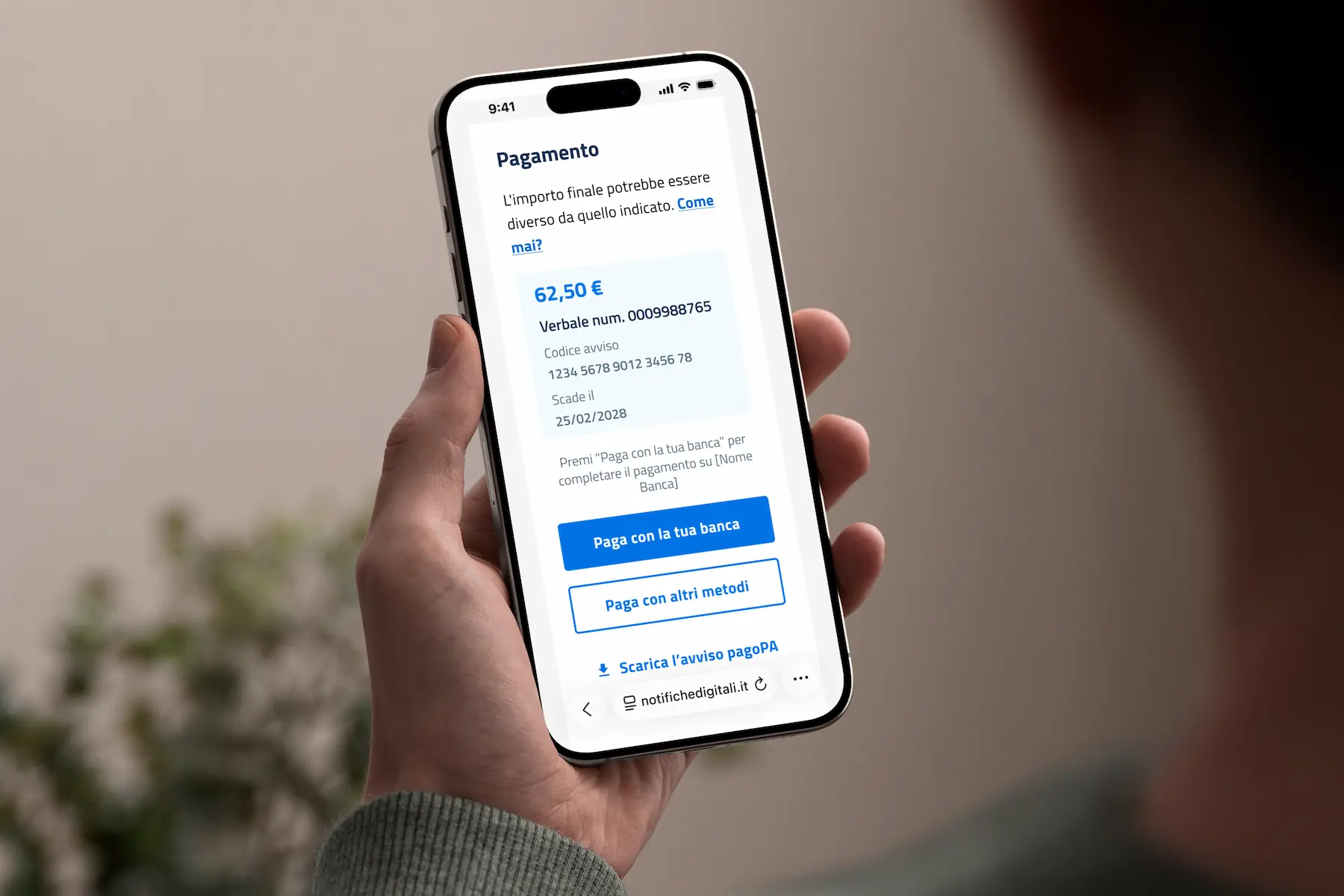
I also designed the service icon and the cover image displayed alongside other PagoPA products within the institutional "Reserved Area". I designed a mockup that visually communicates the service's value proposition at a glance, highlighting the core business value for the banks: a user holding a smartphone displaying a SEND notification with a prominent "Pay with your bank" primary button. This visual clearly communicates the mutual benefit: the citizen gets a frictionless, pre-filled payment experience, while the bank successfully secures the transaction commission.