
SEND Onboarding
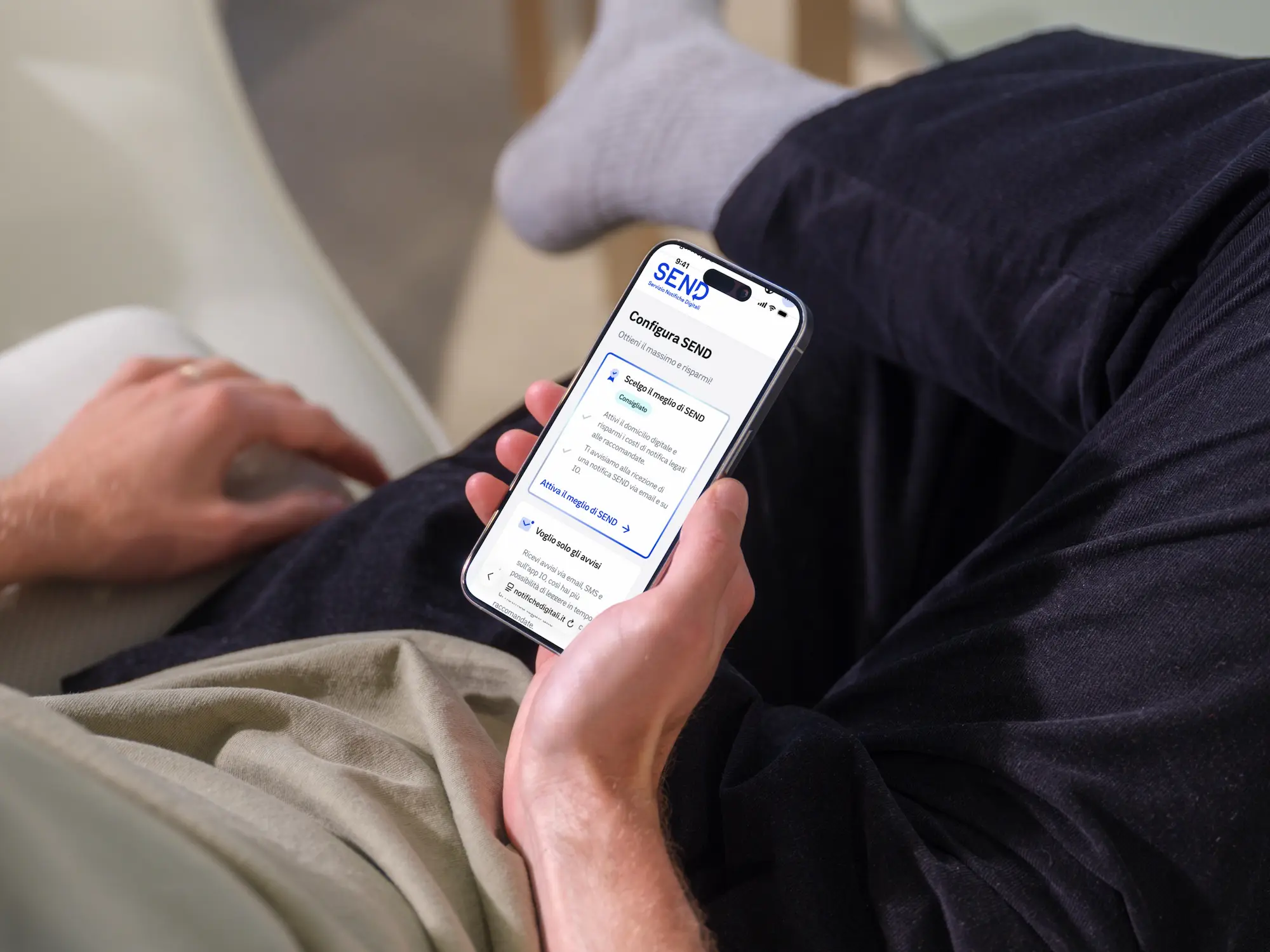
End-to-end UX/UI design for the SEND onboarding. To reduce analog mail costs, the goal was increasing digital contact adoption. I simplified complex technical constraints into an intuitive, package-based user experience.
Role
UX, UI, Dev handoff
Company
PagoPA
Year
2026
Duration
3 months
Problem
The primary need stemmed from a clear business objective: incentivizing citizens to add their digital contacts on SEND. The goal was to ensure digital notification delivery, drastically reducing the massive operational and financial costs associated with analog mail (traditional paper registered letters).
The User Insights
From our qualitative user research, a very clear picture emerged:
- Mail is a stressor: Receiving physical mail was perceived as exhausting and unreliable, causing anxiety due to delivery mishaps or collection difficulties.
- Low awareness: Despite a strong preference for digital convenience, most users only discovered SEND after receiving a physical notification.
The Design Challenge
The challenge wasn't simply designing a form, but creating a strategic onboarding flow that intercepted users during their first web access. It had to guide them in configuring their contacts, but with a crucial technical and user-experience constraint: the onboarding could never become a blocker. If a user accessed the platform via a quick link (email/SMS) or had urgent notifications to read, the flow had to seamlessly step aside to allow immediate access to the document.
Execution
We began the project by mapping out several logical flows. In our initial iterations, we decided to separate the "Informational Phase" from the "Configuration Phase". The former, managed by the Content Design team, focused on building trust and explaining the value of providing personal data to overcome initial user skepticism. The latter, which the UX team was responsible for, was designed as a step-by-step guide to entering and verifying contact information.
We developed multiple variants of these configuration flows, each driven by a different "North Star" strategy:
Priority on Digital Domicile: Since our core business goal was to reduce the volume of physical registered mail, this hypothesis prioritized setting up a Digital Domicile on SEND as the first step. Validating the email immediately also streamlined the subsequent activation of courtesy alerts.
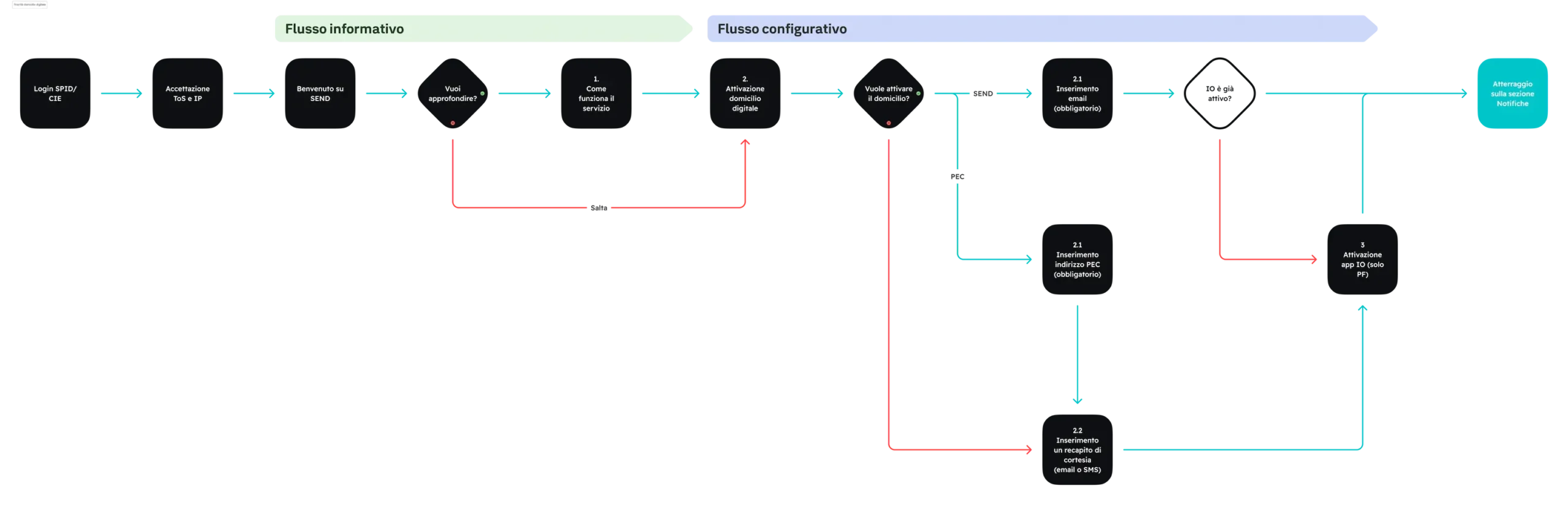
Priority on App IO: Insights from parallel Service Design research showed that users perceive App IO as a more secure and trustworthy channel. Unlike email or SMS, App IO is a closed ecosystem limited to verified entities, making it inherently free from spam and phishing.

The Pivot
During our design reviews, it became clear that both linear hypotheses resulted in overly long processes, significantly increasing the risk of user drop-off. To address this, we pivoted to a non-linear model we called the "Central Hub".
In this version, after the informational introduction, users land on a dashboard-style screen that displays which contacts are already configured and which are missing. Each card triggers a focused, rapid wizard for a specific contact type (e.g., email or PEC), returning the user to the hub upon completion.
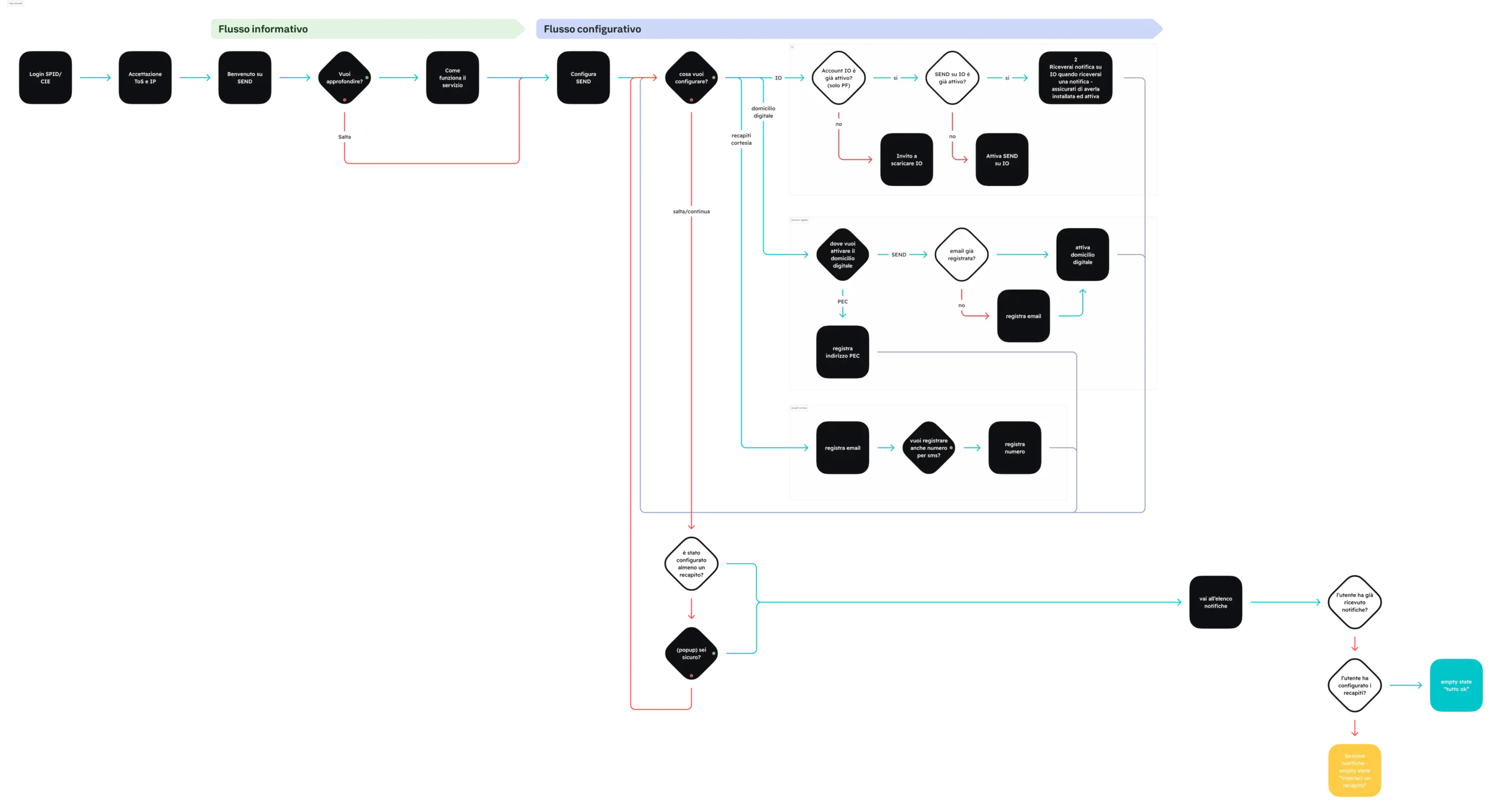
This modular approach transformed the onboarding into a self-paced, customizable experience. It empowered users to decide exactly how much they wanted to configure at that moment, removing the friction of a rigid, forced sequence while still meeting the business objective of contact acquisition.
With the "Hub" concept in hand, we moved into high-fidelity prototyping for both desktop and mobile to conduct an internal design review. The feedback was eye-opening: while the team appreciated the freedom the hub offered, the actual experience felt fragmented and "clunky."
Key Insights from the Review:
- Mental Models: Senior UX designers pointed out a potential confusion: users might not understand that the options were cumulative. There was a risk they would see them as mutually exclusive choices (either/or) rather than building a complete profile.
- User Flow Disruption: Returning to a central hub after every sub-wizard felt disjointed and interrupted the momentum of the onboarding.
- Hierarchy & Impact: Content designers noted a lack of distinction between "Courtesy Alerts" and "Digital Domicile." Despite being presented on the same level, these two options change the legal behavior of SEND in fundamentally different ways.
Solution
We returned to the drawing board to find a layout that could simplify these choices. Since our strongest argument for conversion was the cost-saving benefit (digital vs. expensive physical mail), we looked at SaaS pricing tables for inspiration.
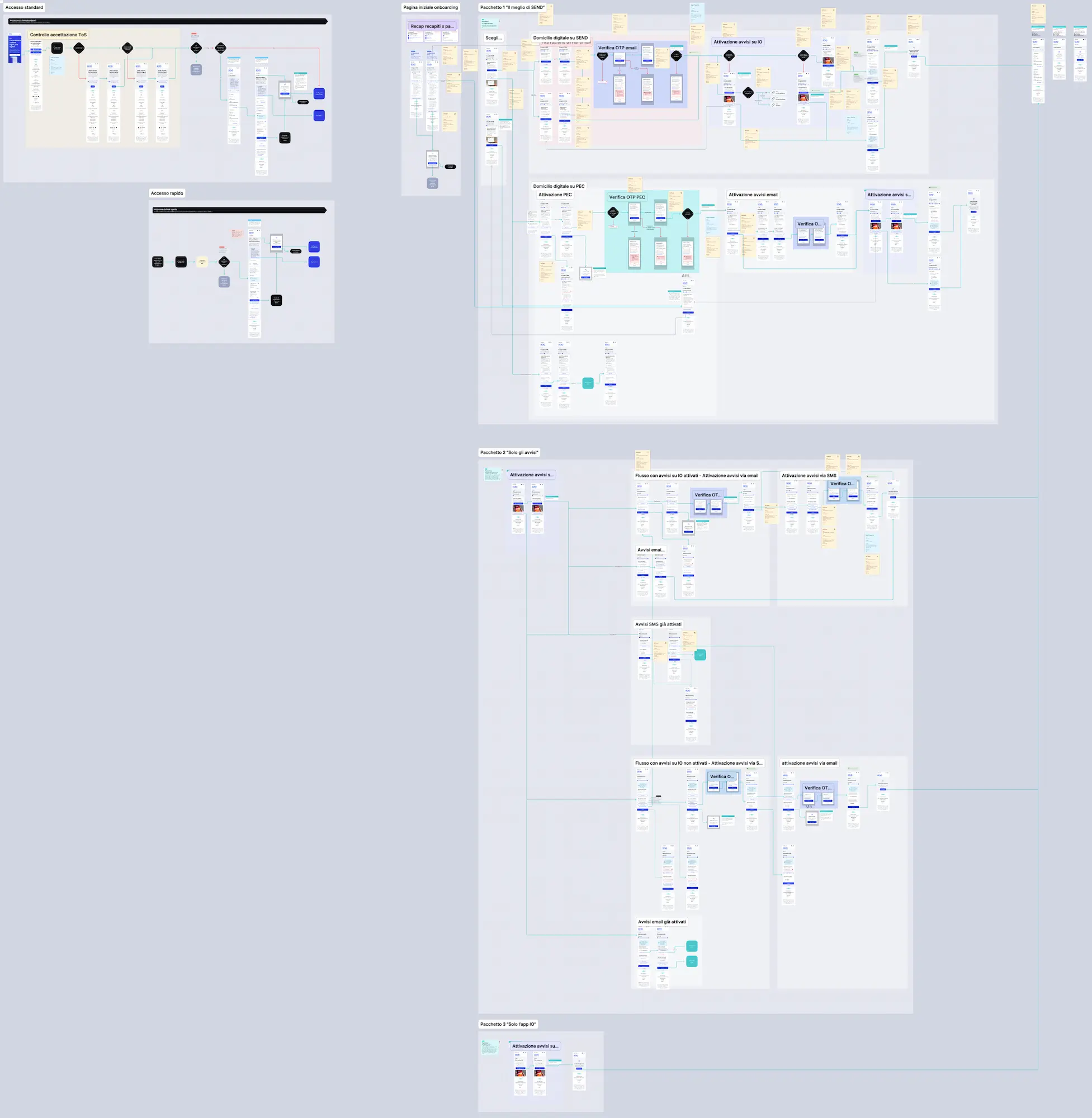
We pivoted from a "custom hub" to a three-tier package structure. Initially, we considered keeping the "central hub" fully customizable third option, but it introduced too much technical and cognitive complexity. Instead, we doubled down on the "speed and convenience" trend.
The Final Three Tiers:
- "The Best of SEND": The most comprehensive option, activating both the Digital Domicile and courtesy alerts. We highlighted this as the suggested choice because it maximizes cost savings for the user while ensuring the highest service efficiency.
- Only Courtesy Alerts: The ideal middle ground for users who want to be notified promptly via Email and SMS, keeping the configuration lightweight without formally electing an exclusive digital domicile.
- Only App IO: Designed specifically for users who want to skip a lengthy setup wizard. We strategically positioned the App IO integration as the quickest alternative for three key reasons:
- It is the most widely adopted SEND's digital contact method among the Italian population.
- User research confirmed an extremely high level of trust in the app's messages, perceived as a highly secure environment.
- Since the app requires a strong biometric/PIN login upon opening, it allows users to seamlessly unlock legal notifications and consult documents directly in-app, removing any further friction.
By shifting to this tiered approach, we successfully reduced the flow's complexity while providing a clear hierarchy that aligned user benefits with business goals.
Results
The new onboarding flow went live on May 19, 2026. Thanks to the Mixpanel telemetry defined during the handoff phase, we were able to monitor the real impact of our "packaged" flow immediately. The initial data (May 19-29) strongly validated our design strategy:
- High Engagement: The onboarding flow successfully intercepted 30% of all active SEND sessions.
- Solid Conversion: We achieved a 30% conversion rate from the initial engagement screen straight through to the Thank You Page.
- Upselling Contact Methods: The starting baseline was tough - roughly 50% of intercepted users had only the IO app active, and the other 50% had zero contact methods configured. By the end of the flow, 53% of completing users activated the "full package" (Email, IO app, and Digital Domicile).
- Achieving the Business Goal: Most importantly, ~70% of users who completed the flow successfully activated Digital Domicile. Since this option digitalizes legal notifications, this metric confirms the effectiveness of this project in solving the initial problem.